Co|See vs. a shared album for job site photos.
Shared albums make photos easy to send. Finding the photo of the valve behind the tile, three months later, is another story.
Shared Album: iCloud Shared Albums and Google Photos
Where a shared album stops keeping up
Photos have no labels.
Which bathroom is that valve in? The album doesn't know.
Work mixes with life.
Job site photos land in your camera roll next to the kids' soccer game.
The details aren't there.
An album holds the picture. The finish, the size and the install note live somewhere else.
Side by side.
| Compared | Shared Album | Co|See |
|---|---|---|
| Finding a photo later | Scroll the album and hope it's labeled | Open the selection it shows |
| The product | A photo, with no model number or link | A photo of the actual product, plus the link |
| Finish, size and install notes | Not in the album | On the item, next to the photo |
| What's final | Not in the album | Marked on each selection |
| Who sees what | Everyone in the album sees every photo | Each person gets the access you choose |
| Progress | A stream of photos in the order they were added | A photo on each item as it's installed |
| Questions from the trades | Comments under a photo, if anyone sees them | Comments on the item they're about |
| Your camera roll | Full of job site photos | Project photos stay in the project |
In Co|See
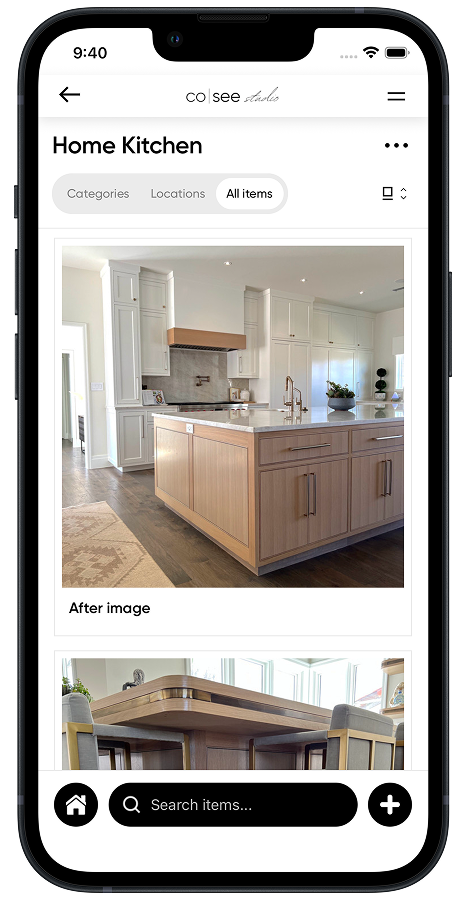
Every photo on the selection it shows.
The valve photo sits on the shower valve, with its finish, its size and its install note. Open the item and its whole history is there.
When a shared album is the right tool
- Sharing the finished house with family and friends.
- Personal photos.
- A quick look for someone who just wants to see it.
Share the finished house in an album. Keep the project, and the photo of every selection, in Co|See.
Moving photos out of the album
Upload the photos you already have to the selection each one shows. New ones go straight into the project from your phone, and stay out of your camera roll.
Start your project freeQuestions people ask.
How do I organize job site photos by room?
Take or upload each photo to the selection it shows. Co|See files it by room and category, so the shower valve photo is on the shower valve.
How can I share progress photos with my client without a shared album?
Invite them to the project. They see each selection with its progress photos, organized by room.
Do photos taken in Co|See end up in my camera roll?
No. Project photos and videos stay in the project, not in your personal photos.
Put the selections where everyone can find them.
Start with the ones you already have. Import a spreadsheet or PDF, or take a photo of the next thing you choose.